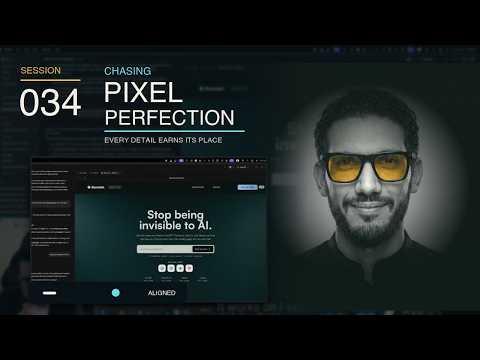
Chasing Pixel Perfection
Want to back the stream? The «داعم» membership on YouTube is EGP 60 a month: badges, emoji, and I answer your questions first on stream. Become a supporter
The gist
The stream follows work on Burnish’s interface and a Shopify-merchant landing page, prioritizing merchant outcomes and product messaging over technical detail. Luqman reviews the hero, dashboard teaser, navigation, pricing, market-map concept, scroll-linked motion, and lighting experiments. He argues that visual direction and final interface states should be defined clearly before implementation, while excessive effects and polishing can slow progress or distract from the primary action. Several outcomes remain unresolved or incomplete, including effect timing, the dashboard transition and resting state, UI regressions, and the quality of generated imagery. The stream also explores ways to collaborate with AI coding tools, including Codex, Claude, Grill Me, and specialized skills: probing requirements, recording decisions in Markdown, handing context between sessions, and choosing tools according to the task, usage limits, and context quality. These comparisons are the speaker’s experience-based opinions rather than universal judgments, and some trials do not reach a final result. Other useful discussions cover parallel work with Git worktrees, a command center for agents and projects, automating long recordings into short clips, and optimizing video for the web. For launch strategy, the stream examines Shopify review risk, go-to-market uncertainty, an Arabic learning community, and GEO as a gradual practice that cannot promise immediate visibility.
86 moments from the stream
- 0:47:52
A Command Center for Coordinating Agents and Models
The response explains that the described “command center” is not a way to reduce model costs, but a layer for managing the models and agents already in use while centralizing work, shared context, and skills. It is also presented as a possible way to automate backend-development tasks.
- 0:49:03
Reducing Design Back-and-Forth with Agents
As the interface begins to take clearer shape, the discussion considers using a ready-made skill that translates design intent into precise agent instructions. The proposed explanation is that much of the repeated back-and-forth comes from the agent not understanding the requested visual details accurately.
- 0:51:15
Balancing Light Beams in a Website Header
A proposal to duplicate the video element on the opposite side so both light beams meet near the center of the header, leaving light intensity and opacity adjustments for later.
- 0:52:33
Generating a Marketing Video with Remotion
A discussion of asking a Remotion-related tool to read a project manifesto and generate a marketing video from it, presented as a practical automation idea rather than a demonstrated result here.
- 0:53:29
Using the Impeccable Skill on a UI Section
A practical question asks whether the Impeccable skill is applied automatically or must be invoked explicitly when specifying changes to a website section. The response says it should already be available automatically, while suggesting a trial after the current effect is finished.
- 0:55:54
Previewing and Directing UI Changes in Codex
An explanation of a UI workflow in Codex: select a small section and leave a comment requesting color or structural changes, launch a project-appropriate preview from the side panel, and inspect code changes, summaries, plans, and the active task.
- 0:57:56
Choosing an AI Coding Tool by Work Type
A personal comparison of AI coding tools favors Codex for frontend work and its interface experience, while acknowledging that Claude may produce strong work but can consume usage limits quickly. Personal spending and account details are omitted.
- 1:01:23
Synchronizing Hero Effects with Icon Rotation
He identified a timing issue and proposed analyzing the rotation cycle of four hero icons, then triggering a beam effect once per icon change.
- 1:02:19
A Workflow for Generating Previewable Logo Concepts
He described an AI-assisted workflow that studies a project manifesto, proposes several logo concepts, and places SVG outputs in an HTML file for preview. He said the results had not been reliable for him, without establishing the cause or the identity of every tool mentioned.
- 1:04:01
Designing a Scroll-Linked Dashboard Transition
He outlined a component in which a dashboard moves from the lower edge of the hero into the following section as the user scrolls, first asking for the goal to be restated before brainstorming solutions.
- 1:05:11
Building an Arabic Community While Planning Western-Market Reach
He explained that the Arabic stream is intended to share the building journey and encourage mutual learning rather than monetize the community, while acknowledging the challenge of marketing to a Western audience he has not yet built. He considered activity on X as a possible part of the go-to-market strategy.
- 1:07:08
Refining the Interface Section by Section
He tested the site effect and found its timing still incorrect, explaining that progress was deliberate because he was examining and refining each section in detail, beginning with the hero.
- 1:09:17
Defining the Dashboard’s Start and Resting States
He refined the motion concept so the dashboard begins visually connected to the hero and partially visible below it, then moves in a controlled, scroll-linked way into the second section. The final resting state still required further exploration.
- 1:10:26
Defining dashboard states and a landing-page design brief
The work is framed around the dashboard’s animation, effect, and resting state, followed by a request to understand the manifesto and brand essence. A scroll transition in which the dashboard appears to move is also considered.
- 1:17:44
Discovering agent skills for interface-design work
A repository is asked to list its available skills and recommend those most useful for website UI design. The discussion then surveys planning, testing, and diagnostic skills and asks how a named skill should be invoked during a specific exercise. The speaker presents skill marketplaces as a way to search by task and inspect signals such as stars, while noting limited prior experience installing skills.
- 1:20:31
Planning before executing a product-proof stage
The “product proof stage” proposal is selected, with a request to plan the execution first and use multiple deep-dive agents for support. This is an implementation direction, not evidence that the work was completed or successful.
- 1:27:07
Comparing the current navigation with the planned vision
The discussion focuses on navigation for V0 and V1, while noting that Phase 1 and Phase 2 are expected to share the same structure. It proposes comparing earlier concepts and brainstorming with the current implementation to locate the mismatch, since the present navigation section is not sufficiently clear.
- 1:27:54
Comparing Grill Me with Claude plan mode
The speaker asks how Grill Me differs from Claude’s plan mode and initially suspects they may be similar because plan mode asks many questions before converging on an idea. He decides to try Grill Me for comparison, but this segment provides no final test result.
- 1:30:42
Using Probing Questions to Define Navigation Requirements
The speaker asks an AI assistant to fully understand the navigation bar’s purpose and probe the site’s sections, stages, and structure before proposing a solution, since navigation is the customer’s primary way through the website.
- 1:35:26
Prioritizing Customer Benefits Over Technical Details
While reviewing potentially overlapping navigation items, the speaker argues that messaging should emphasize what the product does for merchants rather than its underlying technology. He compares this to travelers caring more about the destination and experience than the vehicle, and suggests clearly explaining the outcome on a dedicated page.
Got a question about something in this stream?
Ask in the group