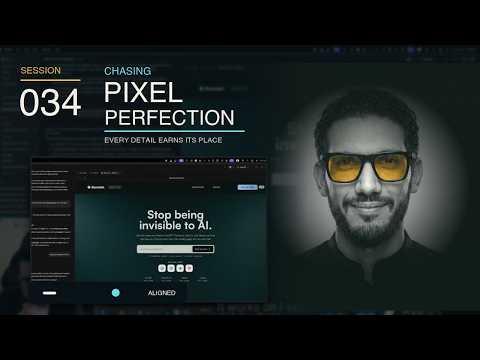
Chasing Pixel Perfection
Want to back the stream? The «داعم» membership on YouTube is EGP 60 a month: badges, emoji, and I answer your questions first on stream. Become a supporter
The gist
The stream follows work on Burnish’s interface and a Shopify-merchant landing page, prioritizing merchant outcomes and product messaging over technical detail. Luqman reviews the hero, dashboard teaser, navigation, pricing, market-map concept, scroll-linked motion, and lighting experiments. He argues that visual direction and final interface states should be defined clearly before implementation, while excessive effects and polishing can slow progress or distract from the primary action. Several outcomes remain unresolved or incomplete, including effect timing, the dashboard transition and resting state, UI regressions, and the quality of generated imagery. The stream also explores ways to collaborate with AI coding tools, including Codex, Claude, Grill Me, and specialized skills: probing requirements, recording decisions in Markdown, handing context between sessions, and choosing tools according to the task, usage limits, and context quality. These comparisons are the speaker’s experience-based opinions rather than universal judgments, and some trials do not reach a final result. Other useful discussions cover parallel work with Git worktrees, a command center for agents and projects, automating long recordings into short clips, and optimizing video for the web. For launch strategy, the stream examines Shopify review risk, go-to-market uncertainty, an Arabic learning community, and GEO as a gradual practice that cannot promise immediate visibility.
86 moments from the stream
- 0:00:18
Why finish the UI before continuing backend development?
The speaker explains his decision to establish the interface structure and content first, creating a tangible product vision before continuing backend work, while noting that some UI polishing may happen off-stream.
- 0:03:00
Choosing an AI-assisted environment for UI work
The speaker compares a multi-terminal, multi-model environment with desktop applications. Because the first environment does not open the UI within it, he explains that he works on the interface through the Claude and Codex desktop apps and switches between them.
- 0:04:19
Reading coding-model benchmarks through practical use
The speaker gives a personal comparison of AI coding tools and cautions against relying only on headline benchmark figures. He argues that a benchmark closer to real coding tasks may better explain his experience, while balancing capability against pricing and usage limits; his proposed workflow uses a stronger tool for guidance and Codex for more of the execution.
- 0:08:44
From content skeleton to polished interface
The speaker reviews a website that is still largely a skeleton: its sections, language, and calls to action are mostly in place, but the presentation needs further polishing, and a visible animation was only a temporary experiment that will be changed.
- 0:09:51
Comparing tool costs with hiring someone to build the site
In a brief discussion, an audience comment suggests that relatively expensive tools may still be economical compared with hiring someone to build a professional website, and the speaker broadly agrees with that principle.
- 0:10:06
Speed and Usage Limits in AI Tools
The speaker values working speed over lower cost and discusses how usage limits and waiting periods can disrupt a workflow even when a tool produces good results.
- 0:10:45
Designing a Multi-Shot Hero Animation
The speaker explores creating a hero-section animation from a precise multi-shot prompt, testing generation without a reference image as an alternative to a start-and-end-frame workflow. Each shot can be timed before reviewing the generated video.
- 0:12:09
Optimizing Hero Video for Web Performance
The discussion explains that adding animated video to a website requires attention to load speed, file size, asset optimization, and delivery in the site, with coding agents potentially assisting parts of the workflow.
- 0:13:30
The Tradeoff Between Hero Polish and Site Progress
The speaker describes a polished hero section while the rest of the page remains a basic skeleton, attributing slow progress to high design standards and effect experimentation. He also mentions exploring WebGL effects and coding assistance before continuing the build.
- 0:20:39
Why the Website May Need to Precede the Finished App
The speaker explains that his vision for the app is already clear and that he expects backend problems and debugging, but he sees an early website as necessary for starting marketing and supporting the middle and bottom of the funnel, while acknowledging that his visual standards exceed his current web-development experience.
- 0:22:34
Previewing the Dashboard on the Product Website
He discusses placing a teaser of the dashboard on the website because merchants may want to see what the product looks like inside. He also notes that the generated image needs refinement because its pixels and rendering do not look clean enough.
- 0:25:26
Learning from Polished Websites Without Copying Them
The speaker examines an example combining a strong hero section, a dashboard teaser, and an appealing scroll effect, but says that reproducing it is beyond his current experience and that he does not want to keep copying the reference literally.
- 0:28:47
Simplifying an Ambient Beam Experiment
He asks to place the effect temporarily below the hero section to test its appearance. When the attempt does not work as intended, he decides to simplify it and focus only on the ambient beam itself.
- 0:30:08
Using AI as an Adviser for Interface Refinement
Luqman experiments with consolidating instructions into a single prompt, explains that he uses the assistant as an adviser across different kinds of work, and then reviews a UI result that needs an element moved slightly downward.
- 0:33:25
Reviewing a Multi-Project Agent Command Center
Luqman reviews a dashboard with a weekly calendar, agent hub, and task management, praising its support for switching between multiple projects and assigning agents according to task complexity. Some implementation details and tool names are unclear in the captions.
- 0:36:58
Adding Marketing Metrics for Self-Marketed Projects
Luqman distinguishes client work from launching a project that must be marketed by its owner. He suggests extending the command center to track traffic, customer acquisition, expenses, and runway alongside technical work areas.
- 0:37:58
Backend Suitability and Customization of the Command Center
Answering a question about backend developers, Luqman says the tool is better suited to technical projects and backend tasks than to a frontend workflow built section by section. He notes that the version is available on GitHub for users to customize and polish themselves.
- 0:39:39
Automating Short-Form Content Production
Luqman explains that preparing short-form clips is time-consuming, so he relies on automation and mentions StreamLadder as part of the workflow. The captions end before the process is fully explained.
- 0:40:08
Automating Long-Recording Repurposing into Short Clips
A workflow uploads a long recording to StreamLadder for suggested clips, then has the user review the template, effects, and captions before writing the title and description and scheduling publication. The stated opinion is that partial automation helps, but hiring an editor may suit content-critical work better because full automation can require substantial setup.
- 0:46:18
Writing Precise Visual Directions for a Hero Section
While refining the interface, the discussion stresses knowing the desired design result precisely. A practical prompt specifies where the light source should begin around the Burnish logo and how it should illuminate the hero section instead of relying on a vague visual request.
Got a question about something in this stream?
Ask in the group